For agencies
Fewer silos, better accountability
- Leadership sees current status instead of waiting for static reports
- Operations teams can prioritize and track remediation over time
- Complaint handling and compliance planning live together
BlueDAG includes two connected suites: one for agencies managing Title II programs, and one for the inspectors, architects, facility managers, and consultants doing the field work. Both work from the same accessibility record.
At a glance
Audits, complaints, remediation, and field inspections should not live in separate files. BlueDAG keeps them connected while still giving each team the workflow it needs.
Government operations
Field operations
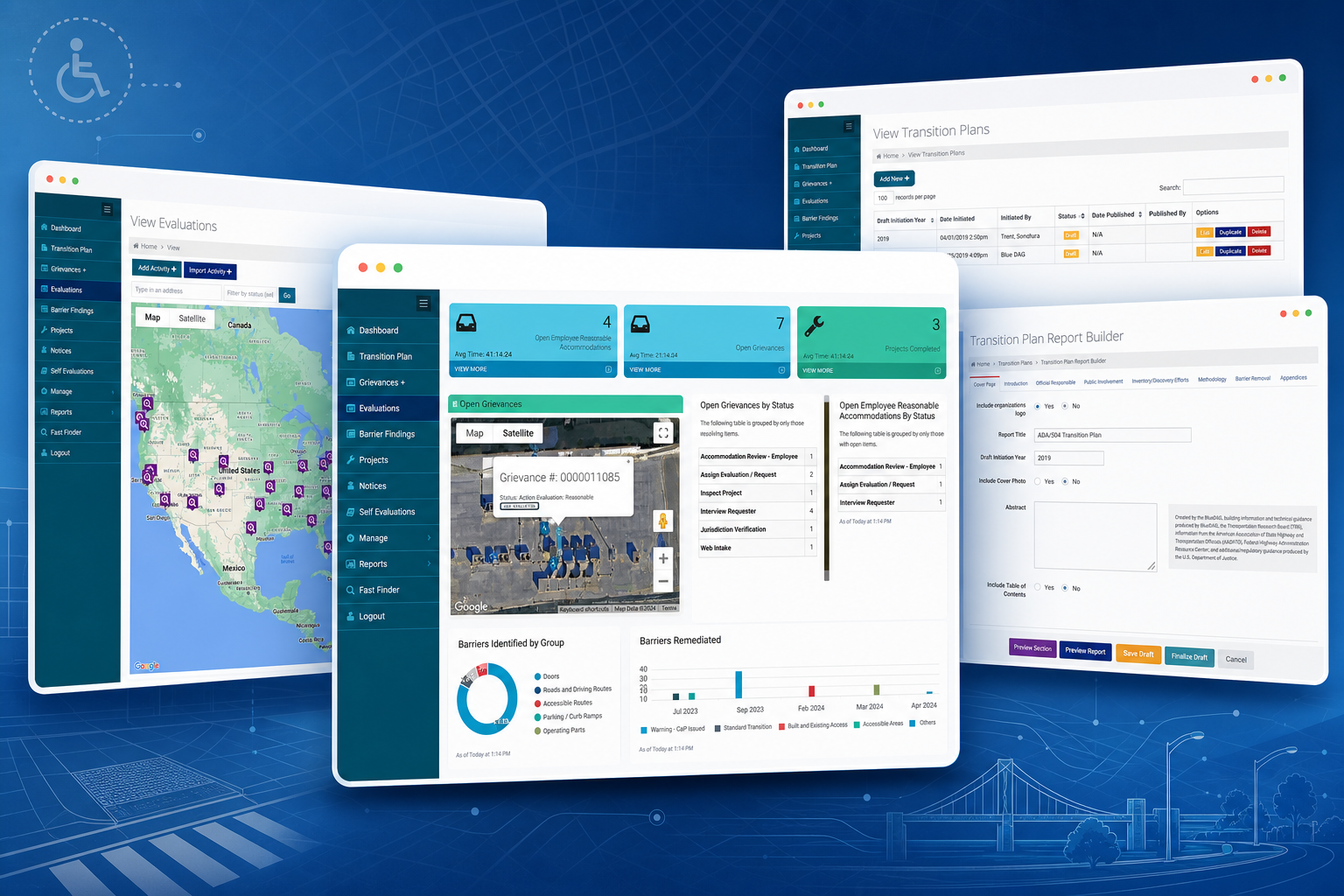
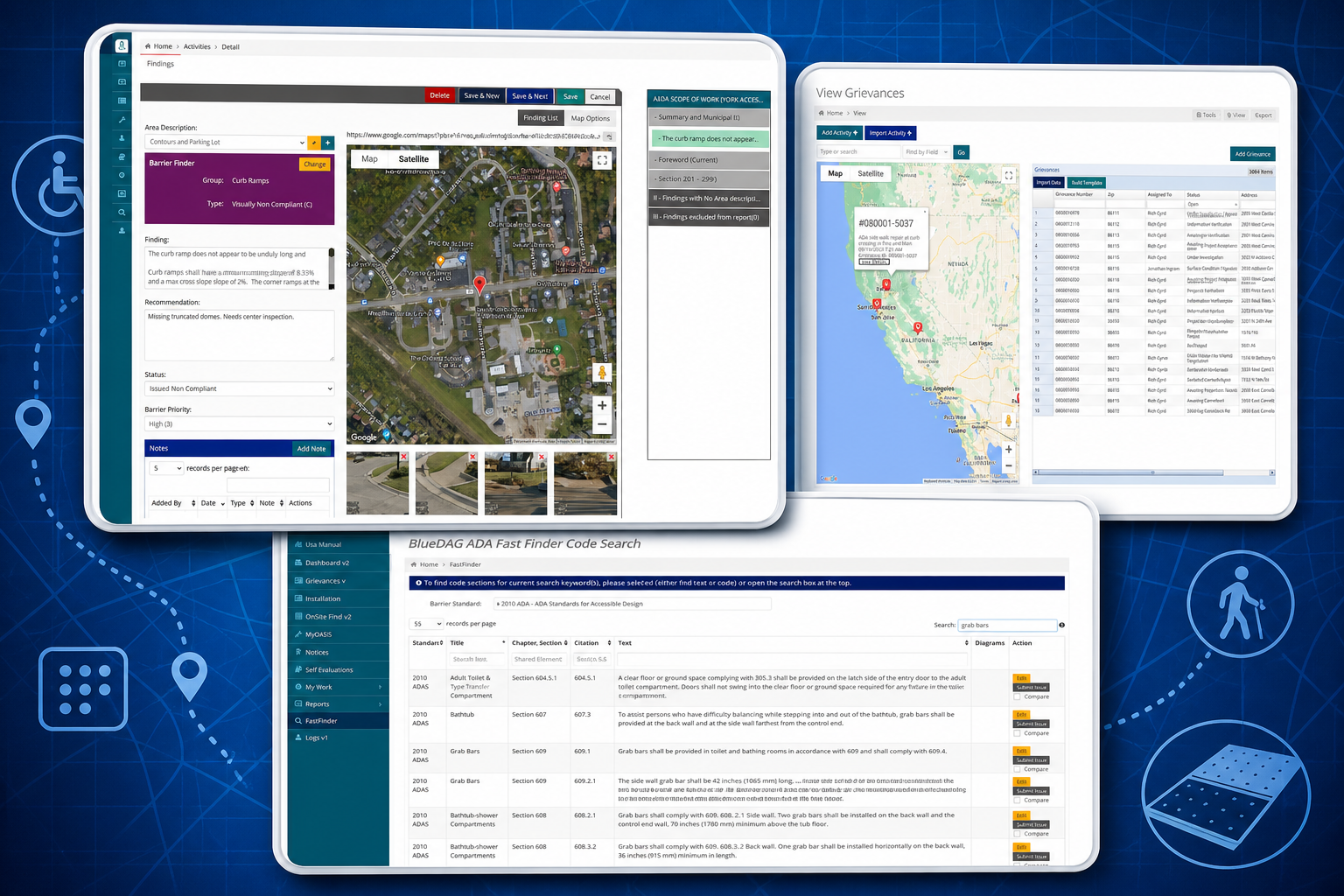
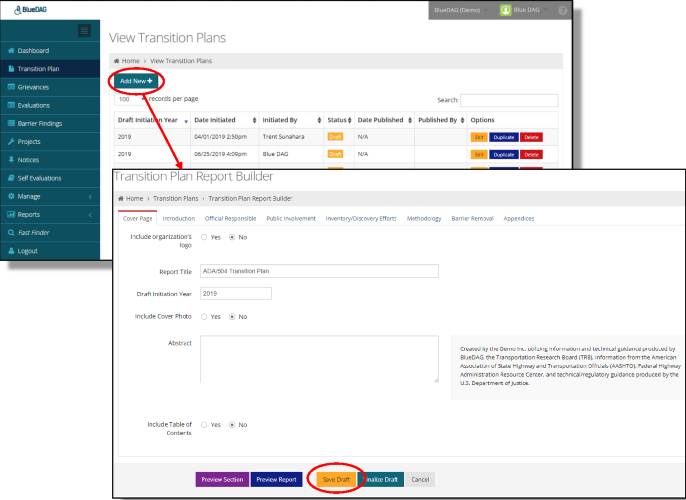
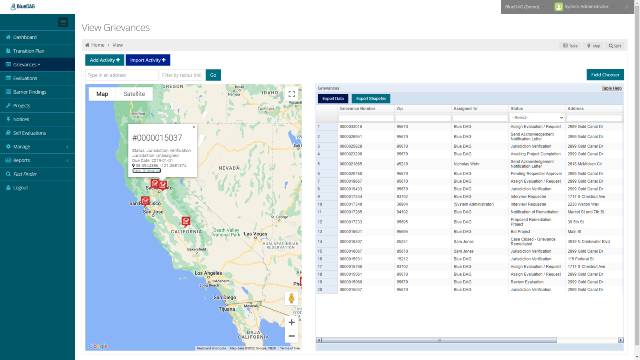
Public agencies subject to Title II need a reliable way to evaluate programs, services, and activities, then keep transition planning records current as work gets done. The BlueDAG Government Suite is built for that ongoing work, not just the first audit.
The Government Suite gives agencies one place for barriers, grievances, remediation projects, and transition plan updates. Authorized staff can see the same current record instead of chasing spreadsheets, shared drives, and emailed PDFs.
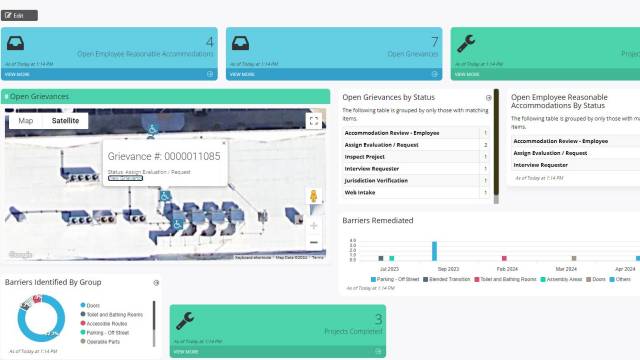
The Dashboard is a centralized, map-based view that gives agency administrators a live view of every location, barrier, project, and compliance status across the jurisdiction. Status updates automatically as field staff and inspectors log findings. Exportable reports are formatted for internal review and public reporting requirements, so the agency has an accurate, shareable record of where it stands.
Unlike a static audit document that becomes outdated the moment it is filed, the Living Transition Plan updates automatically as barriers are identified and remediated throughout the platform. When maintained by the agency, it supports Title II self-evaluation work by keeping the record current rather than forcing teams to restart from a stale report each time.
When members of the public file disability-related complaints, agencies need more than an email inbox. Grievances Plus is a structured grievance intake, tracking, and resolution system that captures complaints, routes them to the appropriate staff, tracks response timelines, and maintains a complete operating record. For agencies facing scrutiny from disability rights organizations or regulatory bodies, this module provides the documentation trail for intake, routing, response, and resolution.
Before an on-site inspection, BlueDAG’s pre-inspection tools help teams document existing conditions remotely with photos, measurements, and preliminary notes. That preparation can reduce time on site and lets the inspection day focus on the items that need professional judgment. The pre-inspection data flows into the dashboard and the final inspection record.
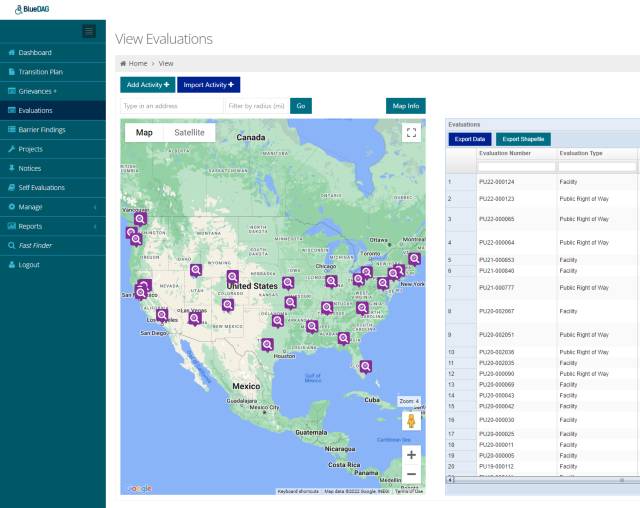
Title II compliance begins with a complete inventory of everything the agency offers to the public: every program, service, and activity, regardless of where or how it is delivered. The PSA Catalog module helps agencies build and maintain this inventory systematically, then evaluate each item for accessibility. This is a practical foundation for a thorough self-evaluation, and it is the starting point for building a transition plan that reflects the full scope of agency operations.
Qualified accessibility reviewers cannot be everywhere at once, but barriers are identified every time a staff member walks through a facility. The Apprentice App puts simplified barrier-documentation tools into the hands of non-expert staff (maintenance workers, park rangers, program coordinators) so that routine walkthroughs generate usable compliance data. Staff photograph and log barriers through the app, and the data feeds directly into the Title II Dashboard without requiring any technical expertise.
Every Government Suite subscriber receives a dedicated Client Success Manager. The roadmap is based on the agency’s size, priorities, and existing records. Quarterly check-ins keep the rollout on track and give the agency a regular place to review progress, questions, and next steps.
That means agencies can work from the same live data as inspectors, and consultants can produce output that remains useful after the inspection is over.
For agencies
For inspection teams
For both
The BlueDAG Inspection Suite is built for professionals who conduct ADA evaluations in the field. The tools speed up inspection capture, standardize findings against ADAAG requirements, and generate professional reports without forcing teams through duplicate data entry.
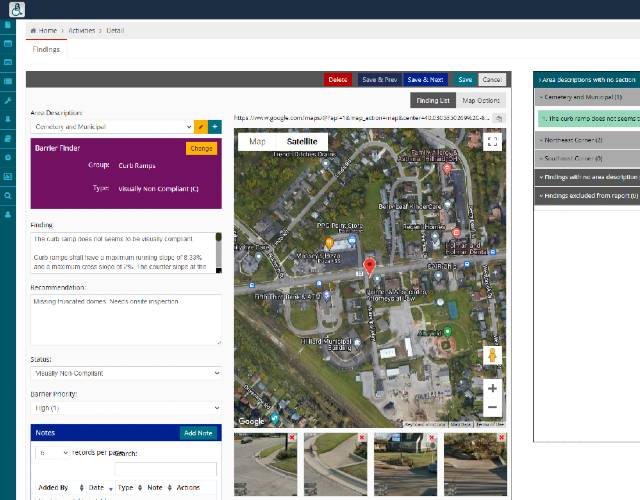
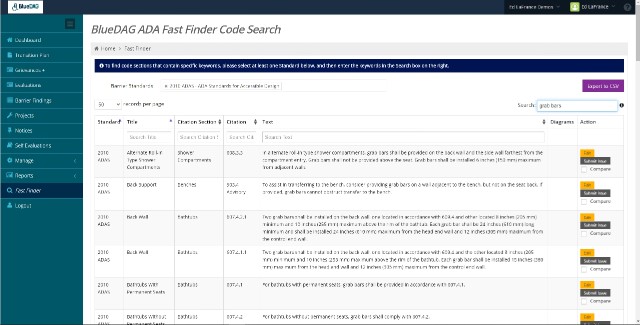
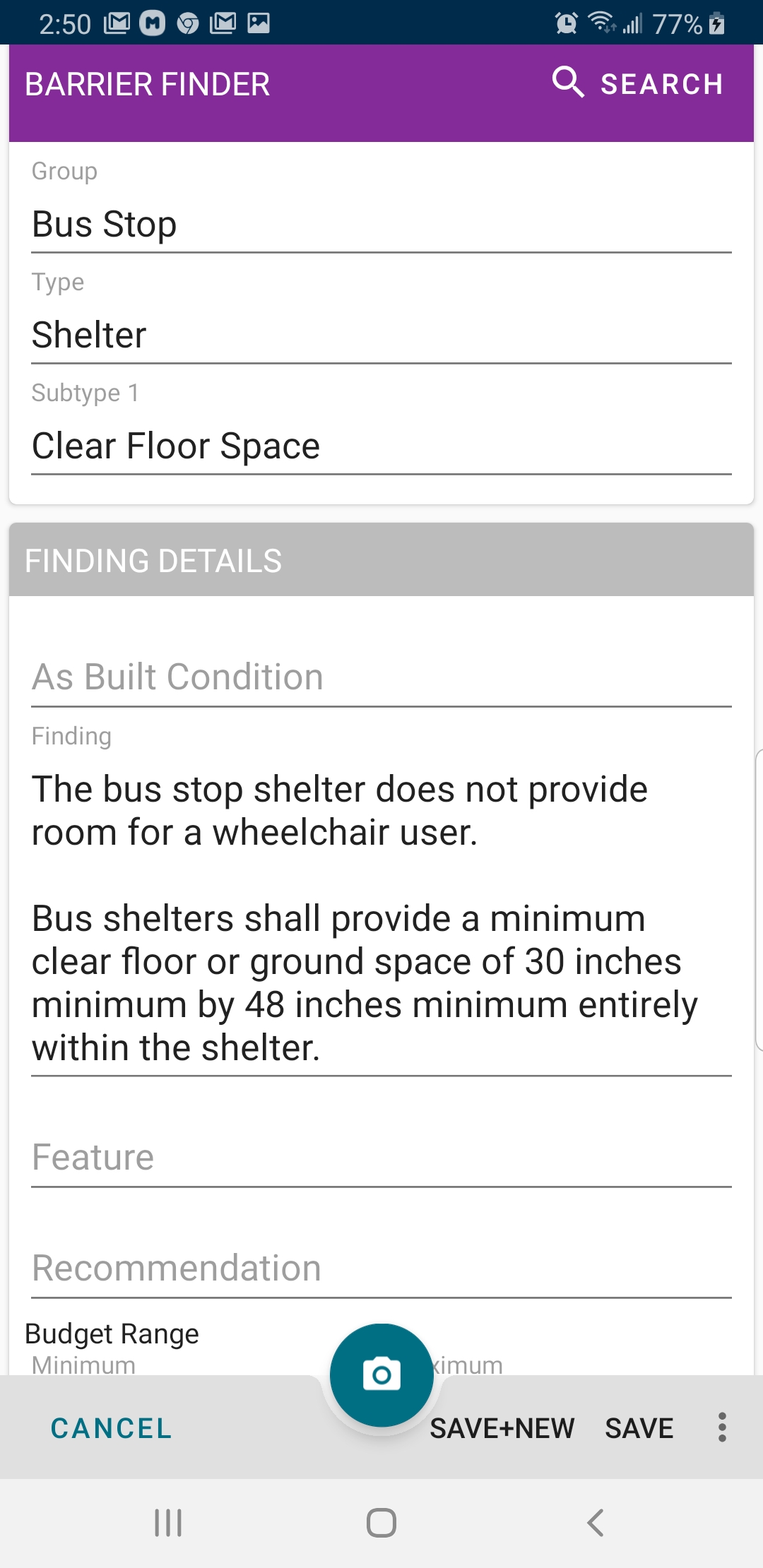
Fast Finder is a mobile-first field data collection tool built for inspection speed. ADA inspectors use it to log barriers, capture photo documentation, apply ADAAG standards, and sync data to the platform in real time, all from a smartphone or tablet. The interface is optimized for field conditions: bright sunlight, one-handed use, and rapid sequential data entry. Findings appear in the client’s dashboard the moment they are recorded, eliminating the data-entry backlog that slows traditional inspection workflows.
Consistent findings require a consistent vocabulary. The Master Finding Library is a curated, ADAAG-aligned collection of barrier types, severity ratings, and remediation guidance. Inspectors select from standardized finding codes rather than writing free-form descriptions, which ensures that reports from different inspectors and different projects are directly comparable. The library is maintained and updated by BlueDAG’s compliance team as standards evolve.
When an inspection is complete, Report Builder generates a professional, client-ready ADA evaluation report directly from the field data. Reports include barrier photographs, ADAAG citations, severity ratings, and recommended remediation actions in a structured, branded format. There is no manual formatting or data transfer: everything documented in the field becomes part of a deliverable-quality report with a single action. This is how inspectors deliver faster without compromising the quality that ADA inspection expertise demands.
For organizations that need to integrate BlueDAG data with existing systems, the Inspection Suite includes full API access. The BlueDAG API supports integration with GIS platforms, work order management systems, and custom client dashboards. Evaluation data, barrier findings, and report content are all accessible programmatically, so organizations can build the workflows they need without being constrained by the platform’s default interface.
The BlueDAG API is a RESTful interface that gives developers programmatic access to evaluations, barrier findings, user profiles, and the master finding library. It is designed for organizations that need to embed compliance data into GIS platforms, work order management systems, or custom reporting dashboards. Authentication uses a Client Key and Secret to generate a short-lived Bearer token; all subsequent requests are authorized via a standard Authorization header. Credentials are provisioned by BlueDAG support and scoped to your organization.
/v1/evaluation
Create, retrieve, update, and delete ADA evaluations. List evaluations with pagination. Access the Evaluation object schema via the describe endpoint. Photo sub-endpoints allow upload and retrieval of barrier documentation.
/v1/finding
Access barrier findings linked to evaluations. Filter results by severity rating, remediation status, and geographic location. Findings carry ADAAG citation codes and remediation guidance from the Master Finding Library.
/v1/masterfinding
Read-only access to the complete Master Finding Library: standardized barrier types, severity classifications, and ADAAG references maintained by BlueDAG’s compliance team.
/v1/user
Retrieve and update user profiles, list all users within your organization, and manage role assignments. Useful for organizations that manage user provisioning through their own identity infrastructure.
Full API documentation, including endpoint schemas, pagination behavior, and code examples, is available in the BlueDAG Knowledge Base. API credentials are provisioned by contacting helpdesk@bluedag.com.
Our team will walk you through the Government Suite or Inspection Suite, whichever is relevant to your organization, and answer specific questions about how BlueDAG fits into your existing workflows and compliance obligations.